
Voice Guide
The Voice Guide speaks the upcoming section and counts you in before each marker, the way the Playback iPad app cues a band. As the playhead approaches a typed marker — or when a scheduled jump is about to fire — a voice announces the section (“Chorus”, “Verse 2”, “Bridge”) and counts the beats of the lead bar (“1, 2, 3, 4”) so the band lands together on the downbeat.
It is a monitoring cue: like the metronome, the voice does not pass through the song’s audio chain. Choose its own output in settings: the legacy monitor bus, the main output, or a specific hardware channel.
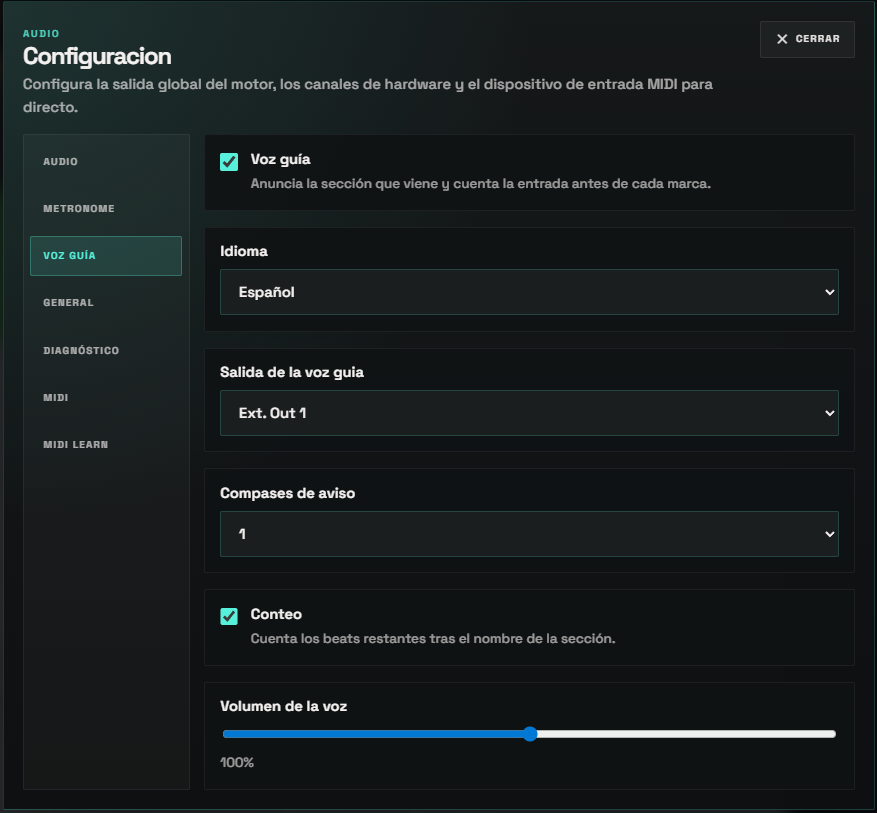
Enabling The Voice Guide
Section titled “Enabling The Voice Guide”Open Settings and select the Voice guide tab:
- Voice guide — master on/off.
- Language —
EspañolorEnglish. Switching reloads the matching voice bank. - Voice guide output — where the spoken cue is routed. This can be different from the metronome output.
- Lead-in bars — how many bars before the marker the count is spoken (default
1). - Count-in — when on, the remaining beats are counted after the section name. Turn it off to hear only the section name.
- Voice volume — level of the spoken cue relative to the music.
The bundled voice pack ships in Spanish and English. Markers with no recording for their type (or set to Custom) simply play the count without a spoken name.
Marker Section Types
Section titled “Marker Section Types”For the voice guide to announce a marker, the marker needs a section type. Right‑click a marker on the timeline and choose Section type…, then pick the section (Intro, Verse, Pre‑Chorus, Chorus, Bridge, Breakdown, Solo, Outro, and more). The marker is coloured by its type on the timeline.
Sections that have numbered recordings — Verse, Chorus, Bridge, Pre‑Chorus — open a second menu where you can choose the plain section or a numbered variant (Verse 1–6, Chorus 1–4, …). Only the variants that actually exist in the voice pack are offered, so you never see a “Verse 8” with no audio.
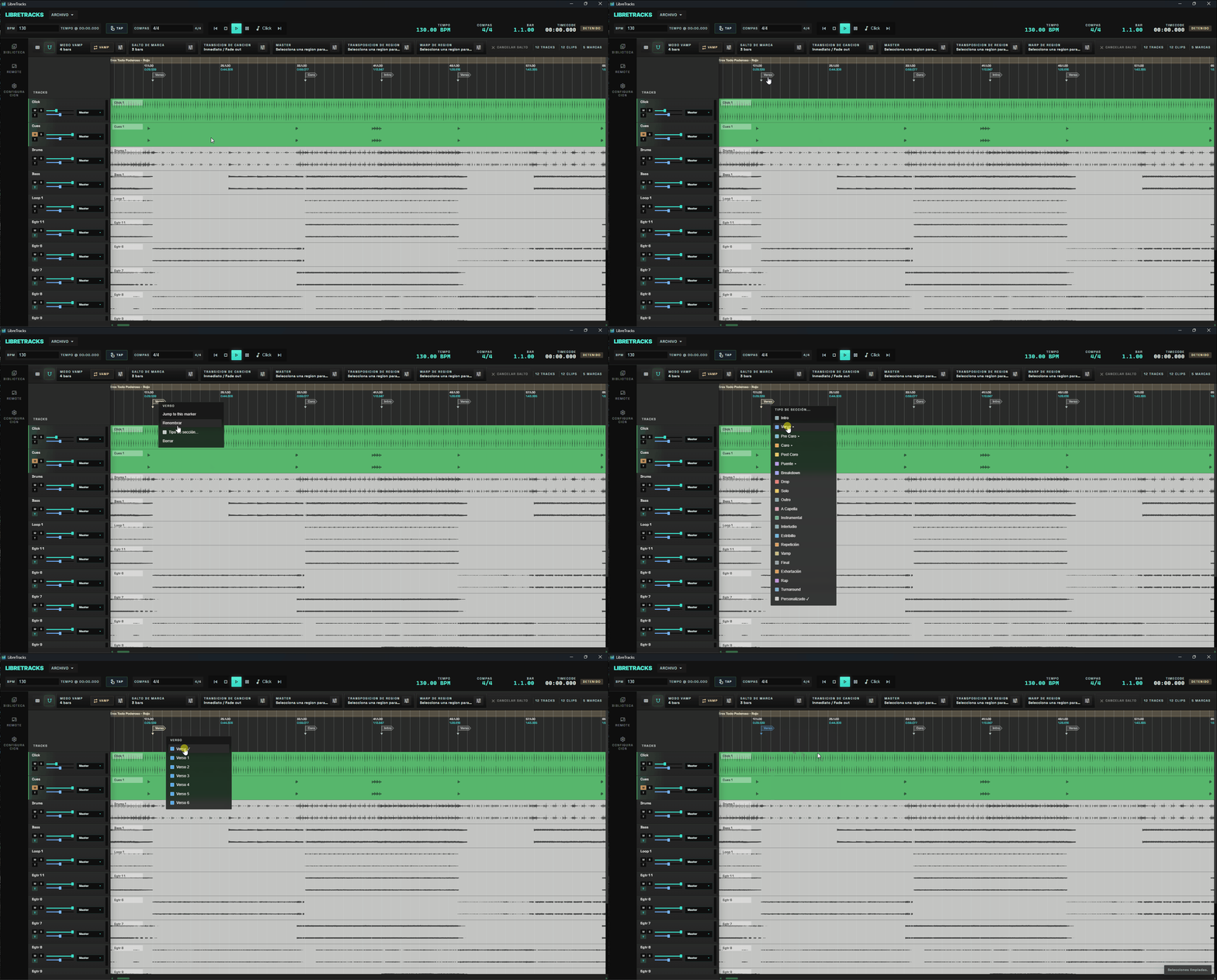
How The Cue Is Placed
Section titled “How The Cue Is Placed”The lead bar before a marker carries a full spoken count (“1, 2, 3, 4” in 4/4). The section name is positioned to end exactly on the downbeat of that count, so the name finishes right before the “1” and never talks over the count — no matter how long the name is. A short name starts later; a long one (“Verse two”) starts earlier.
[ Verse two ] one two three four └──── count bar ────┘ → the Verse 2 lands hereThe count follows the song’s time signature, including meter changes mid‑song. In 3/4 the voice counts “1, 2, 3”; in 5/4, “1, 2, 3, 4, 5”. (Compound meters such as 6/8 currently count each subdivision.)
Scheduled Jumps
Section titled “Scheduled Jumps”The voice guide also covers scheduled marker jumps. When you arm a jump to a section — at the end of the current region, after a number of bars, or at the next marker — the voice announces the destination section and counts you toward the moment the jump fires, then the jump executes on the downbeat. You hear where you are about to go before you get there.
If a jump leaves very little lead time (for example, a jump only one bar away), the count always plays so you still get the rhythmic entry; the spoken name is added only when it fits in the remaining space.
See Live Control Flow for how to arm marker jumps and set their trigger mode.
- Pair the voice guide with the metronome on the same monitor bus, or split them to separate hardware outputs when your monitor mix needs independent control.
- Set lead-in to
2bars at fast tempos if1bar feels rushed. - Leave markers you don’t want announced as Custom — they still work for navigation and jumps, just without a spoken name.