
Integration & Ecosystem
Song Export
Section titled “Song Export”After creating a song region, export it when you want to reuse the configuration in future sessions.
- Create a song from a selected timeline region.
- Right-click the created region.
- Choose
Export Song.
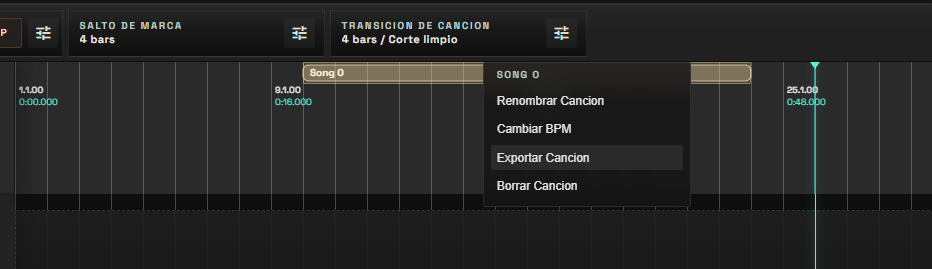
The export dialog lets you choose whether to include the audio files in the .ltpkg. Include audio when you need a self-contained package for another machine. Leave audio out when you only want to share the song structure, clips, routing, markers, and region settings while keeping the package lightweight.
Import Songs And Packages
Section titled “Import Songs And Packages”Use Import song from the top File section when you want to bring another LibreTracks song or session package into the current session. This is useful for building a full show from prepared songs without recreating tracks, clips, routing, markers, and song-region setup by hand.
For day-to-day prep, the session can also accept external drops more directly: audio files can be imported into the arrangement flow, while library folders help keep assets organized by song or show block.
Mobile Remote Architecture
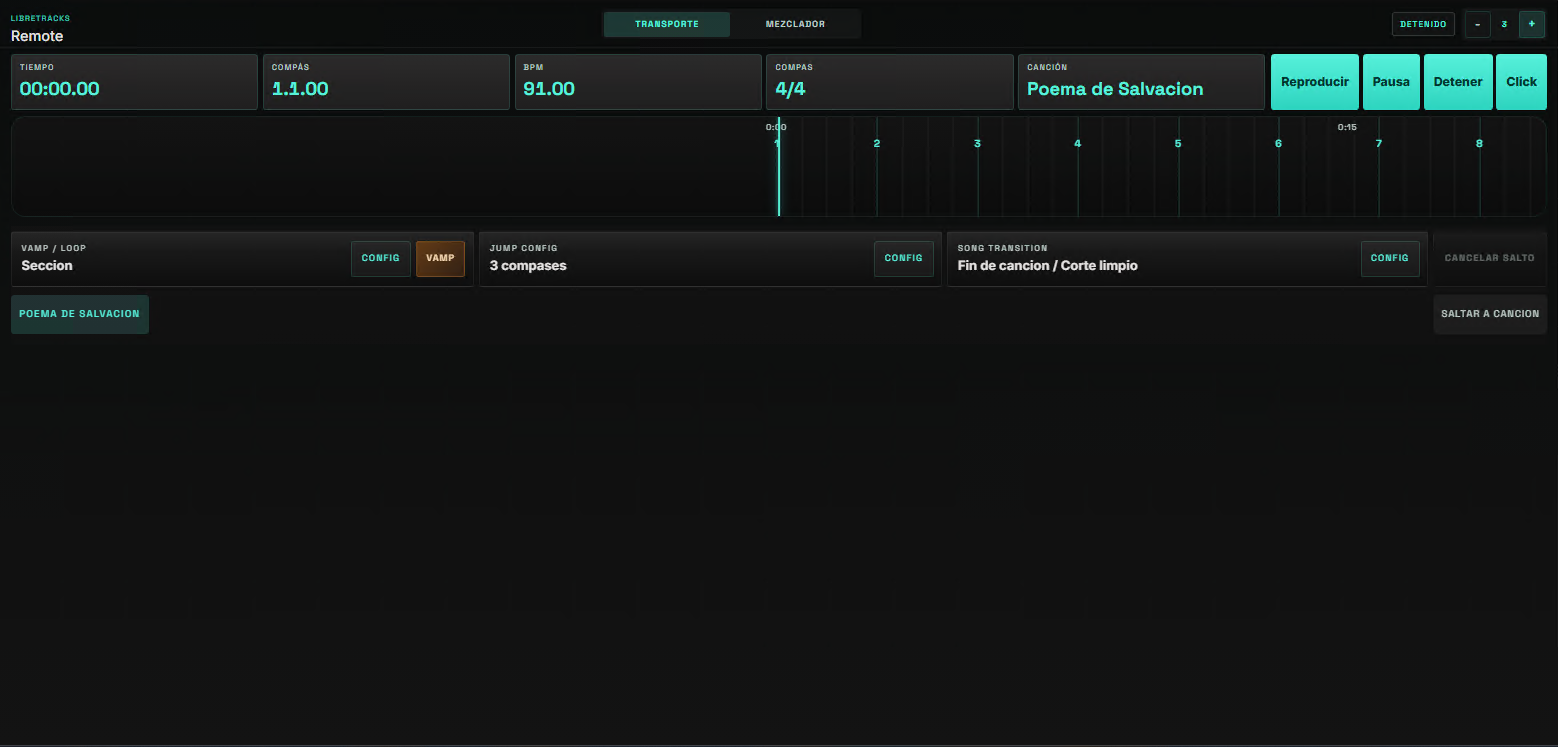
Section titled “Mobile Remote Architecture”The remote controls state; it does not play audio. Audio remains in the desktop runtime, keeping the live rig predictable and avoiding browser audio-device complexity.
Remote commands are sent to the desktop backend and resolved through the same session and transport logic used by the desktop UI, MIDI mappings, and keyboard shortcuts.
Recommended Live Workflow
Section titled “Recommended Live Workflow”Prepare audio in a production DAW, export stems, import them into LibreTracks, organize the Library, build the timeline, configure output routing, add song regions and markers, set transpose behavior where needed, rehearse jumps, connect MIDI, and use the mobile remote for transport or mixer control during rehearsal and show.