Live Control Flow
Marker Jump Modes
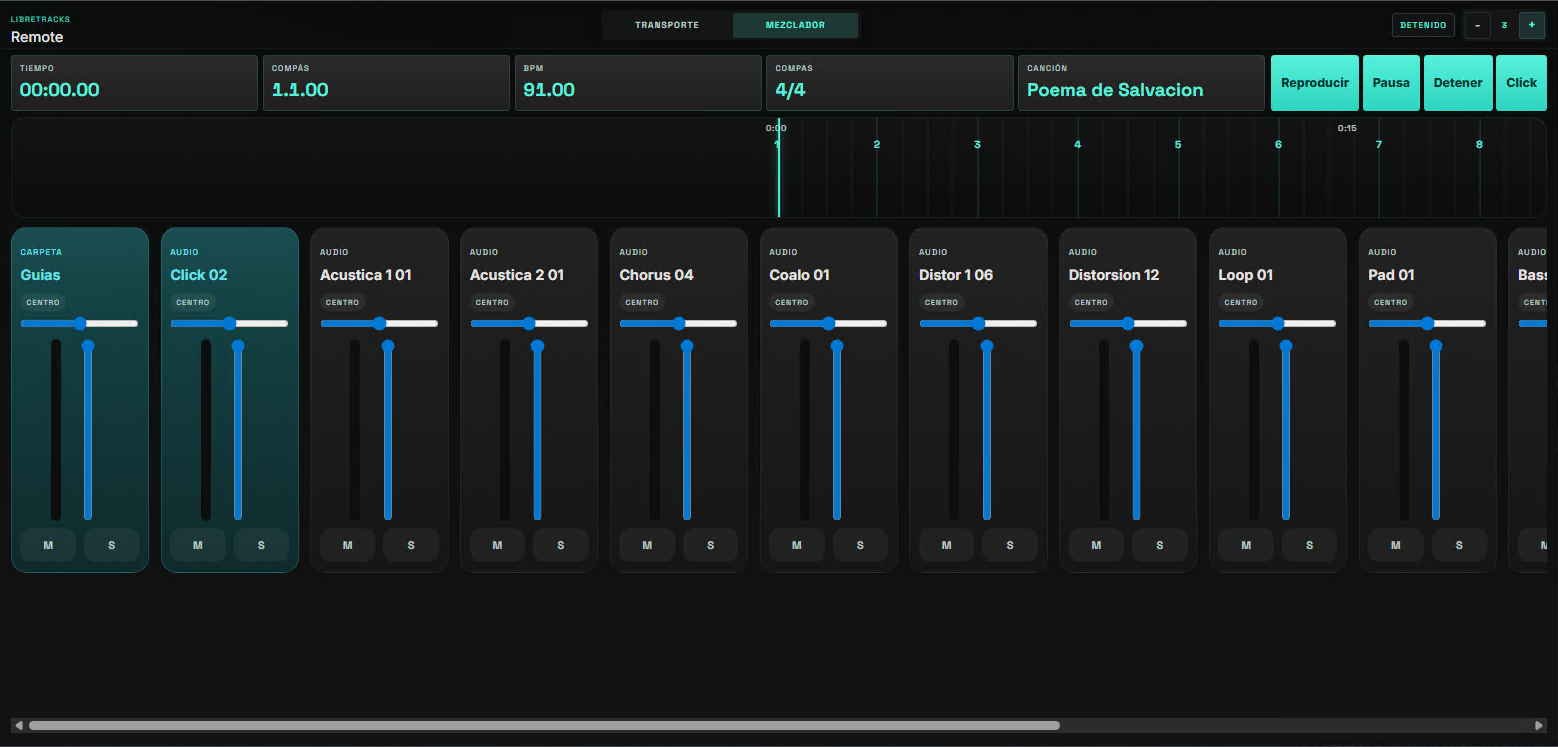
Section titled “Marker Jump Modes”LibreTracks supports three marker jump behaviors:
Immediate: jump instantly.At next marker: wait until the next section boundary.After X bars: schedule the jump after the configured number of bars.
This is native transport behavior, so the same logic is available from desktop controls, keyboard shortcuts, MIDI mappings, and the remote.

When the Voice Guide is enabled, an armed jump to a typed marker is announced and counted in before it fires, so the band hears the destination section and lands together on the downbeat.
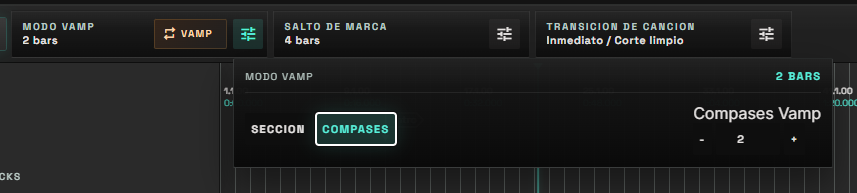
Vamp keeps playback looping musically while the band, stage action, or speaker needs more time. Vamp Mode can repeat the current Section or a fixed number of Bars. Press Vamp again to leave the loop.
Song Jumps And Transitions
Section titled “Song Jumps And Transitions”Song jumps target song regions. They are useful when one session contains a full set, a rehearsal timeline, or several cues.
The trigger can be immediate, after a configured number of bars, or at the end of the current song/region.
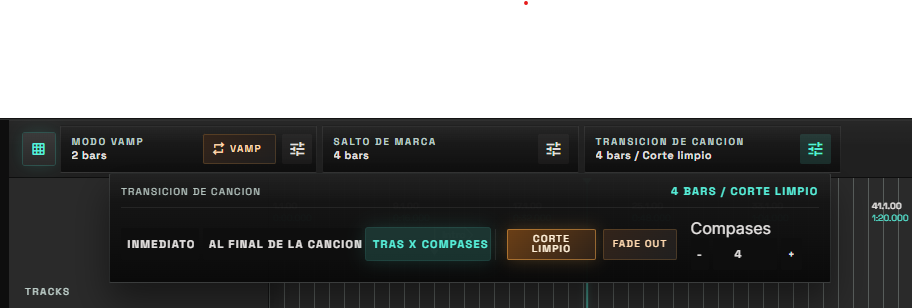
Song Transition controls how the current song hands off to the next one:
Clean cut: switches directly.Fade out: fades current playback before the jump.
Shortcuts
Section titled “Shortcuts”Space: togglePlay/PauseEsc: cancel a pending jump0-9: arm a jump to the corresponding markerShift + 0-9: arm a jump to the selected song region
If you arm the wrong destination, press Esc immediately.
Transpose And Warp In Live Use
Section titled “Transpose And Warp In Live Use”Region Transpose, Region Warp, and the per-track T toggle decide how each clip sounds and how the timeline grid shifts. The interaction between these three is the same Ableton-style model — see Pitch, Warp & The T Button for the full decision table and grid behavior.
In live use, the rule of thumb is:
- Change the key between songs or with playback stopped when you can — retiming pitch mid-playback can cause brief CPU spikes on modest machines.
- Enable
Region Warpwhen the band wants a tempo change without changing key, or when you need pitch changes that preserve clip length. - Use the per-track
Ttoggle only with warp on, to keep a click or guide track in its original key while the rest of the song transposes.
Mobile Remote
Section titled “Mobile Remote”Open Remote in the desktop app, then scan the QR code or open the displayed URL from a phone or tablet on the same local network.
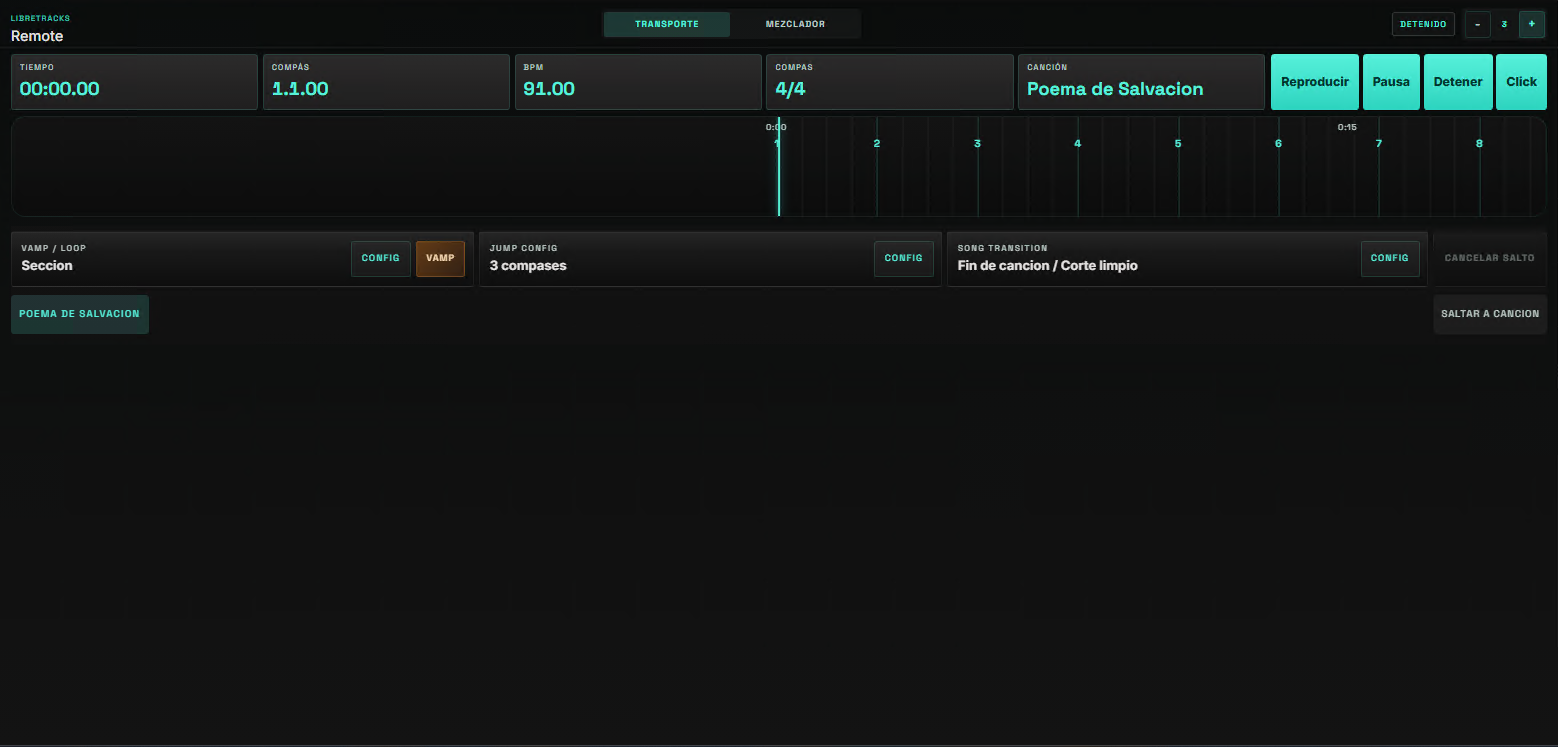
The remote exposes transport, marker jumps, song jumps, Vamp controls, song transition mode, region navigation, transpose controls, and a mixer view for volume, pan, mute, and solo.
The mixer view now behaves more like a live utility surface: it keeps draft volume and pan changes responsive while you drag, shows per-track meters, offers a quick center action for pan, and mirrors folder color grouping so it is easier to identify groups from a phone.