Organize the show as songs with their own regions, clips, tempo, master level, markers, and reusable packages.
Song-based live playback workstation
LibreTracks
Prepare a show as songs, stems, markers, cues, and routes. Arrange it on a timeline, rehearse it in Compact View, and run the performance with musical jumps, pitch tools, MIDI, and a mobile remote.
What it is for
A focused place to turn prepared audio into a controlled live show.
LibreTracks is not trying to replace your production DAW. It is the stage workstation that takes finished stems, organizes them by song, and gives the operator predictable controls for rehearsal and performance.
Use marker jumps, song jumps, Vamp loops, transition modes, keyboard shortcuts, and MIDI mappings from one focused surface.
Transpose songs, warp audio to the timeline tempo, and choose which tracks follow pitch with the per-track T control.
Route stems, click, cues, guide tracks, and folder buses to the right outputs, then control transport and mix from a phone or tablet.
Workflow
From stems to a playable set.
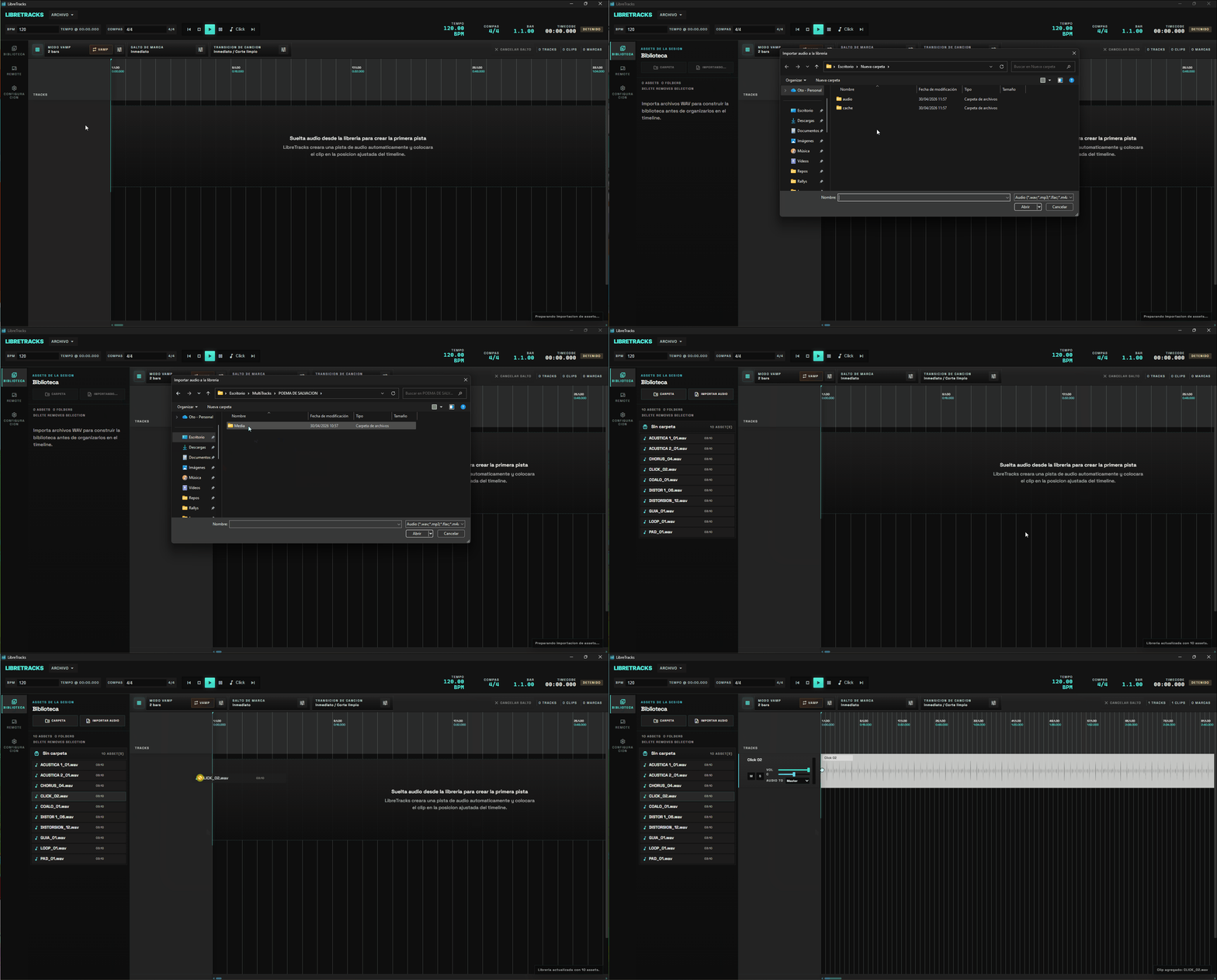
Build the library
Import prepared WAV files, keep assets organized in virtual folders, and reuse songs through LibreTracks packages.
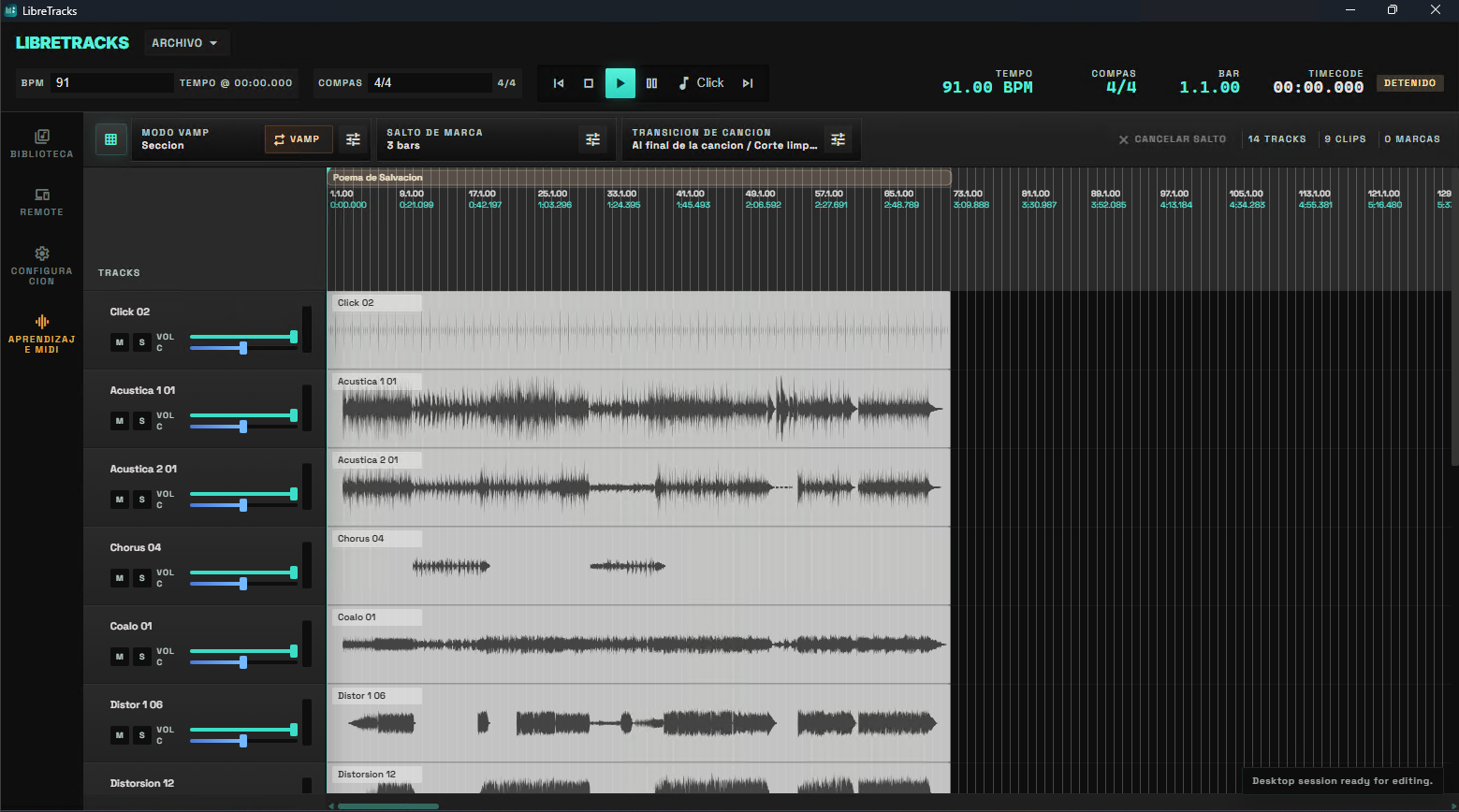
Shape the set
Arrange clips on a musical timeline, create song regions, color-code dense sessions, and place markers where live decisions happen.
Rehearse and perform
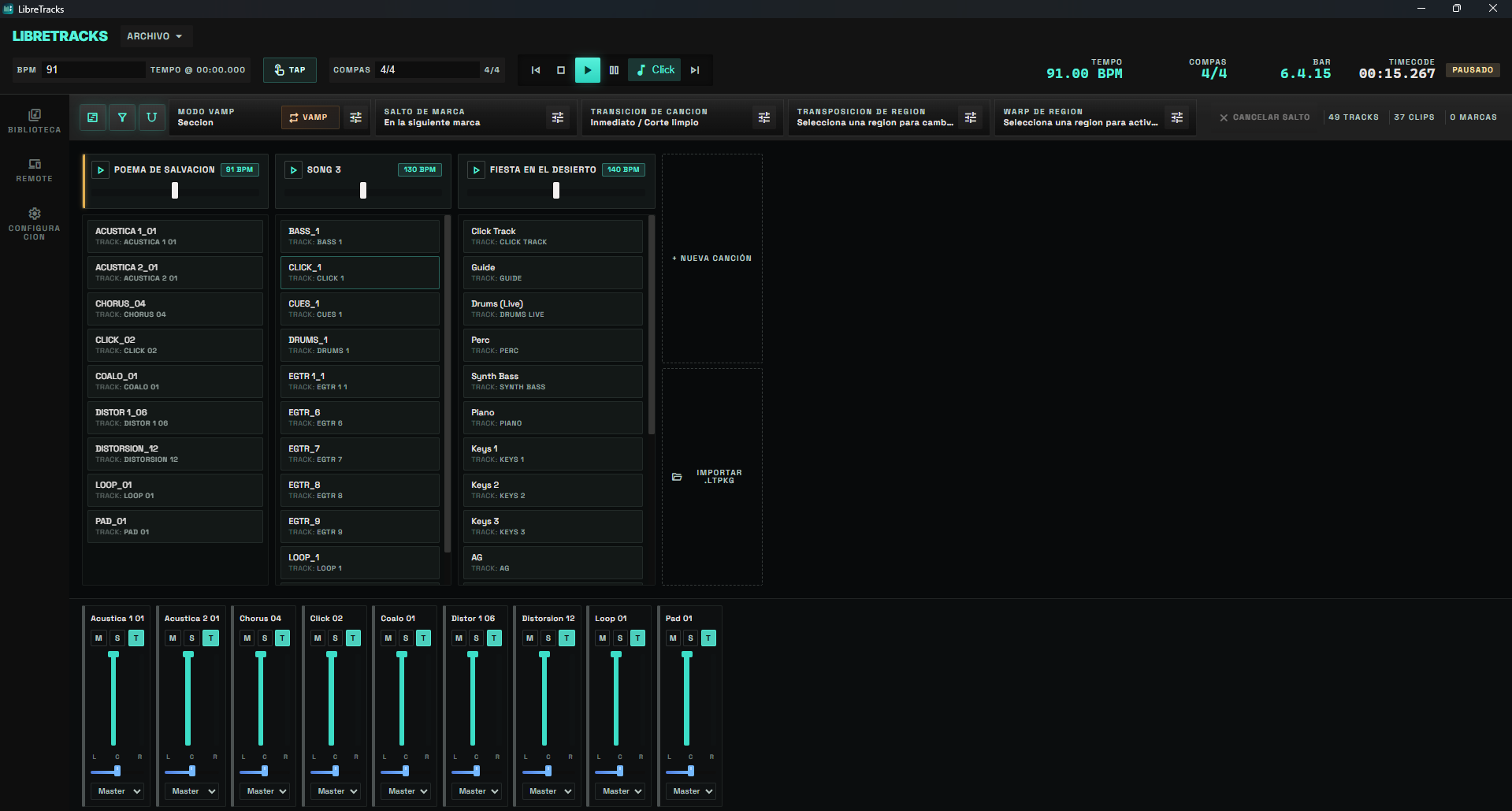
Switch to Compact View to see one column per song, adjust the shared mix, trigger songs, and keep the set readable under pressure.
Two views, one show
Arrange like a timeline. Perform like a set list.
The linear timeline is ideal for building the session; Compact View is ideal for rehearsing songs, triggering transitions, and keeping the mixer visible. Both views are projections of the same project.
A DAW-like view for arranging stems, editing clips, checking markers, and preparing the structure of the show.
A song-first view for rehearsal and performance, with song columns, play controls, masters, and a shared mixer.
Both views edit the same session, so changes to clips, routing, songs, colors, and mix state stay in sync.
Live control
Make the show flexible without turning it into a production session.
LibreTracks keeps stage operations close to musical intent: jump to sections, hold a Vamp, move between songs, transpose the set, route cue material, and hand mixer control to another device.
Trigger sections immediately, at the next marker, after a bar count, or at song boundaries with optional fade transitions.
Change tempo or key per song region while keeping click, guide, or reference tracks under explicit control.
Use audio tracks, folder tracks, inherited routing, metronome routing, hardware outputs, MIDI Learn, and the mobile remote.
Where it fits
Use your DAW for production. Use LibreTracks for the gig.
LibreTracks complements tools like Reaper, Ableton Live, Logic, and Cubase by taking prepared audio into a dedicated live playback workflow.
| Need | Studio DAW | LibreTracks |
|---|---|---|
| Production | Write, record, edit, mix, and sound-design stems in your studio DAW. | Bring finished audio into a show-focused playback session. |
| Set preparation | General DAWs can do it, but often through custom scenes, actions, or routing templates. | Build songs, markers, clips, routing, packages, and live controls around the set list. |
| Live decisions | Flexible, but usually tied to production-session complexity. | Use dedicated controls for Vamp, marker jumps, song jumps, transitions, transpose, routing, MIDI, and remote mixing. |
| On-stage surface | Powerful for operators who need the full production environment. | Focused for musicians, music directors, and playback engineers running prepared shows. |