
LibreTracks Documentation
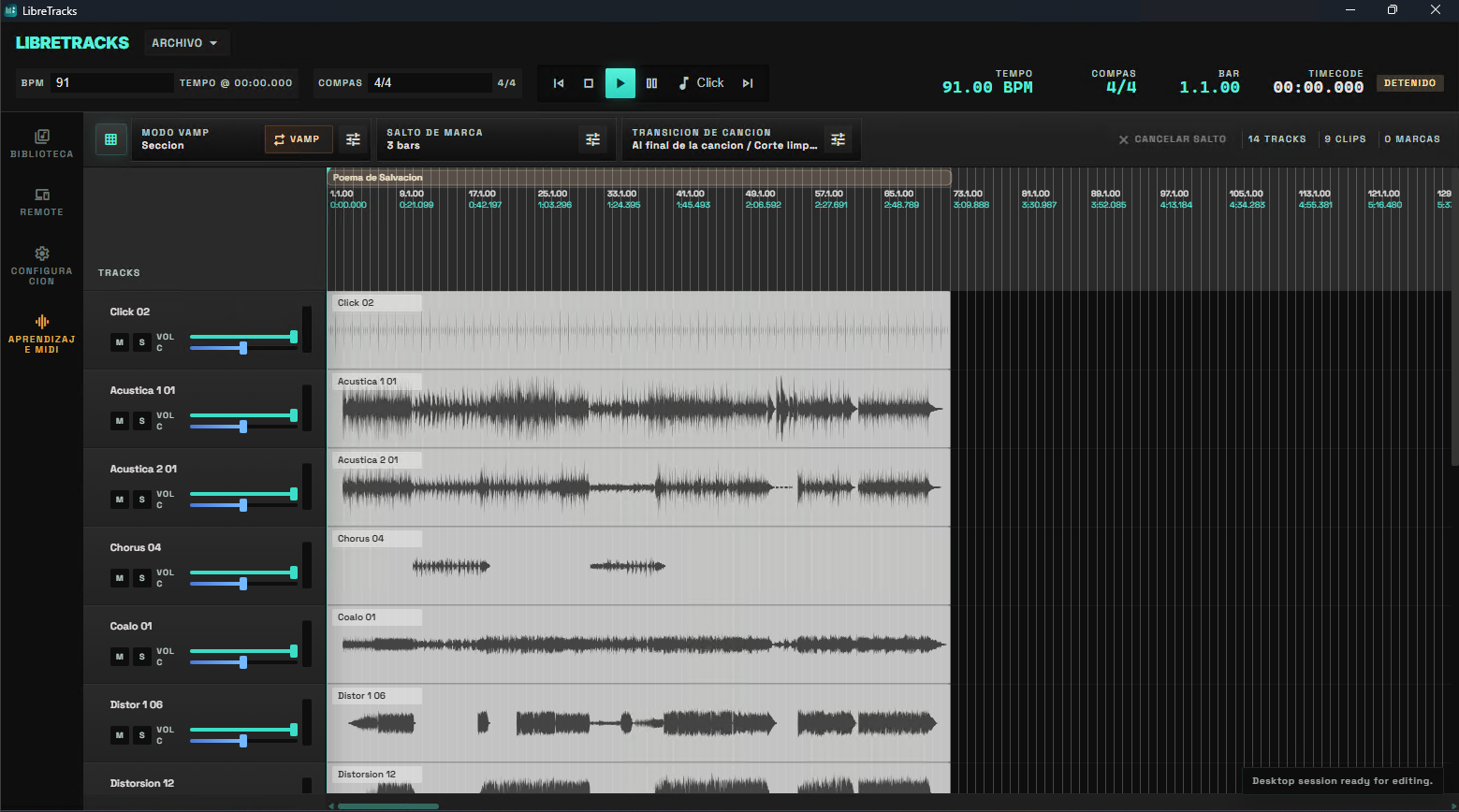
LibreTracks is a desktop multitrack playback workstation for live musicians, music directors, and playback engineers. It is built for preparing a show in advance, saving the session, and performing with predictable audio routing, markers, jumps, transposition controls, color-coded timelines, MIDI, and a mobile remote.
What LibreTracks Is For
Section titled “What LibreTracks Is For”Use LibreTracks when the show needs prepared audio files, a clear timeline, dedicated click or cue outputs, section markers, song regions, and live control from desktop, MIDI hardware, or a phone.
LibreTracks is not a production DAW. Produce and mix stems in Reaper, Ableton Live, Logic, Cubase, or another studio tool, then bring prepared audio into LibreTracks for the live playback rig.
The project model is song-first: songs (song regions) are the primary container, with clips and tracks living inside them. The desktop app offers two equivalent projections of that model — the linear DAW timeline for arranging and the Compact View for rehearsing, performing, and quickly importing or exporting individual songs as .ltpkg packages.
Core Live Workflow
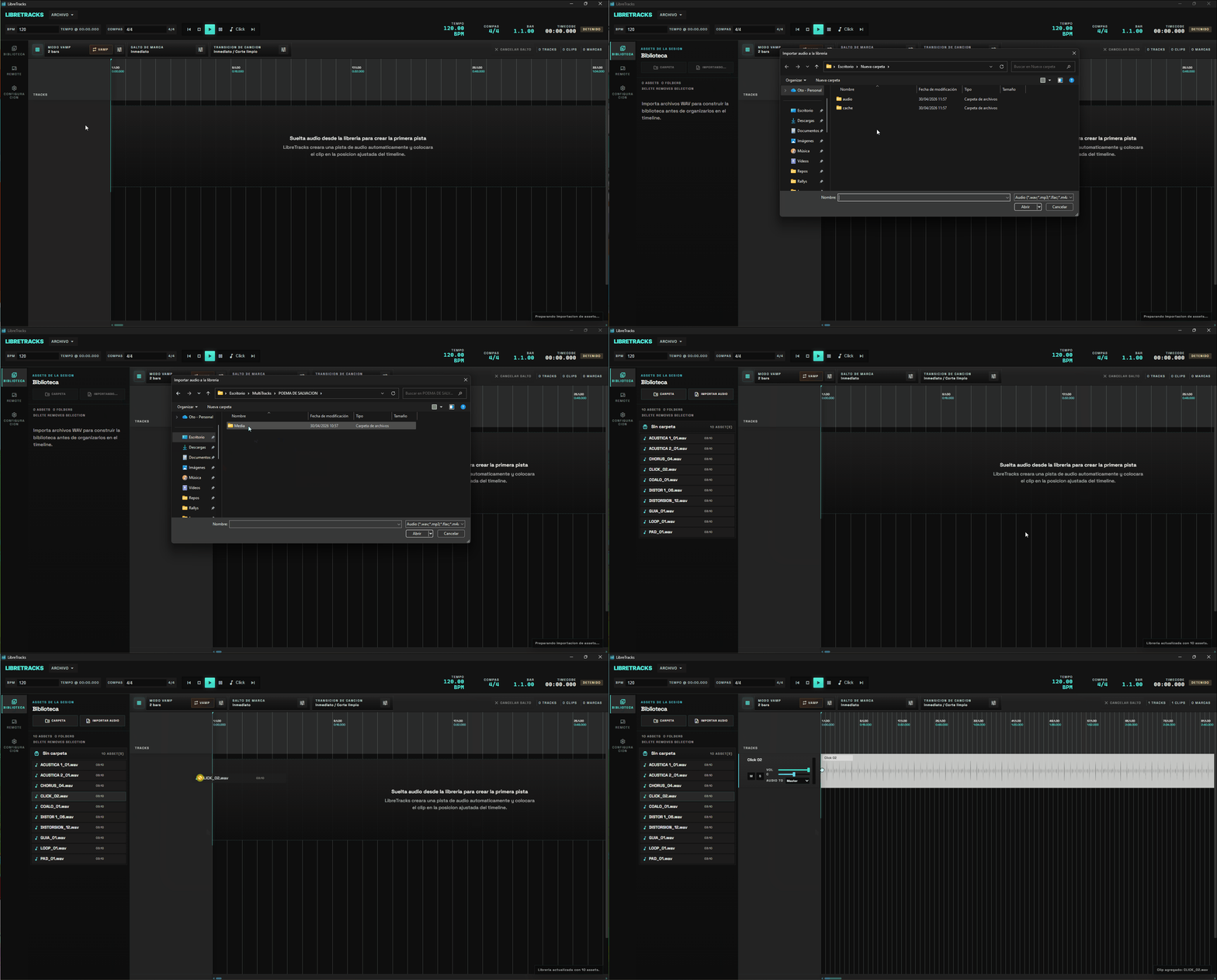
Section titled “Core Live Workflow”- Import WAV, AIFF, MP3, FLAC, or other supported audio into
Library. - Organize assets with virtual folders.
- Drag audio files or song packages into the session, then organize assets with the Library and timeline.
- Configure the audio device, sample rate, buffer size, hardware outputs, track routes, metronome, and MIDI input.
- Create song regions, markers, optional meter changes, and region-based transpose changes. Give markers a section type to drive the Voice Guide.
- Rehearse marker jumps, Vamp, song jumps, transitions, keyboard shortcuts, MIDI mappings, track transpose enable states, and the mobile remote. Add an automation track to fire jumps, mute/solo, fader moves, and mix scenes automatically at exact points.
- Export prepared songs or packages when you want to reuse them in future sessions.
Live Safety Model
Section titled “Live Safety Model”Editing is non-destructive. Splitting, moving, duplicating, or arranging clips changes timeline references; it does not rewrite the original audio file.
Transport behavior is also explicit. Marker jumps, song jumps, Vamp loops, metronome behavior, and remote commands are resolved through the same application state and Rust-side transport logic instead of temporary UI timers.
Large imported sources are prepared for disk-backed playback. LibreTracks keeps a bounded RAM cache and reads ahead from the project cache on disk, so larger multitrack sessions can load without requiring every decoded source to stay resident in memory. Audio preparation runs in the background, waveforms load lazily, the PCM cache is reused across sessions when the source file is unchanged, and native-format files can stream in place without going through the cache when possible, so re-opening big projects is much faster. After an update that changes audio processing, the first open may take longer while LibreTracks rebuilds the cache; after that one-time preparation, the saved cache is reused. You can review and clear the decoding cache from Settings when you need to free disk space.
Playback never blocks on preparation: pressing play starts the transport immediately, and any track whose audio is still decoding stays silent and joins in on its own the moment it is ready, so already-prepared tracks are never held back by a slow new source.
Each song region can independently change tempo and key. Region Warp time-stretches the audio to the timeline BPM while keeping pitch intact, and Region Transpose shifts pitch with or without changing duration depending on whether warp is on. See Pitch, Warp & The T Button for the full decision table.
Clip editing supports Ableton-style flows: Ctrl/Cmd+click and Shift+click for multi-selection, group drag with batched IPC, and Ctrl-during-drag magnets that snap clip edges to the playhead, markers, regions, and other clip edges. Clips can also be dragged vertically to move them onto another track, with the target validated as you drag. Tracks and clips can also be color-coded from the context menu, which makes dense sessions easier to scan.
Folder tracks can act as grouped route owners: child tracks may leave their output on Inherited (Folder) so the whole group follows the folder bus automatically while keeping the same visual grouping in the desktop timeline and remote mixer.
The top bar shows a live resource meter with current CPU and memory usage, so you can tell at a glance when a large session starts to push your machine.
LibreTracks also notifies you in-app when a new version is published, with the changelog in the active app language and a shortcut to the downloads page. The check can be triggered manually from Settings → General.
Main Areas
Section titled “Main Areas”Settings: audio device, sample rate, buffer size, hardware outputs, metronome, MIDI Learn, and decoding cache management.Library: imported audio assets, including FLAC files, and virtual folders. Collapsed-folder state persists across sessions.Timeline (DAW view): audio tracks, folder tracks, clips, song regions, per-region transpose, markers, time signatures, grid editing, automation cues, and color-coded organization. The whole interface can be zoomed and fit to small displays, and the timeline can follow the playhead during playback.Compact View: Session-style projection of the same model — one column per song with its own master fader, a shared horizontal mixer at the bottom, drag-and-drop assets /.ltpkgpackages, and multi-select track reordering. See Compact View.Remote: local web control surface for transport, jumps, Vamp, transpose, and a mixer with meters and grouped track color cues.File: import songs/packages and export prepared songs.